

Sign In
By signing in or creating an account, you agree with Associated Broadcasting Company's Terms & Conditions and Privacy Policy.
By signing in or creating an account, you agree with Associated Broadcasting Company's Terms & Conditions and Privacy Policy.
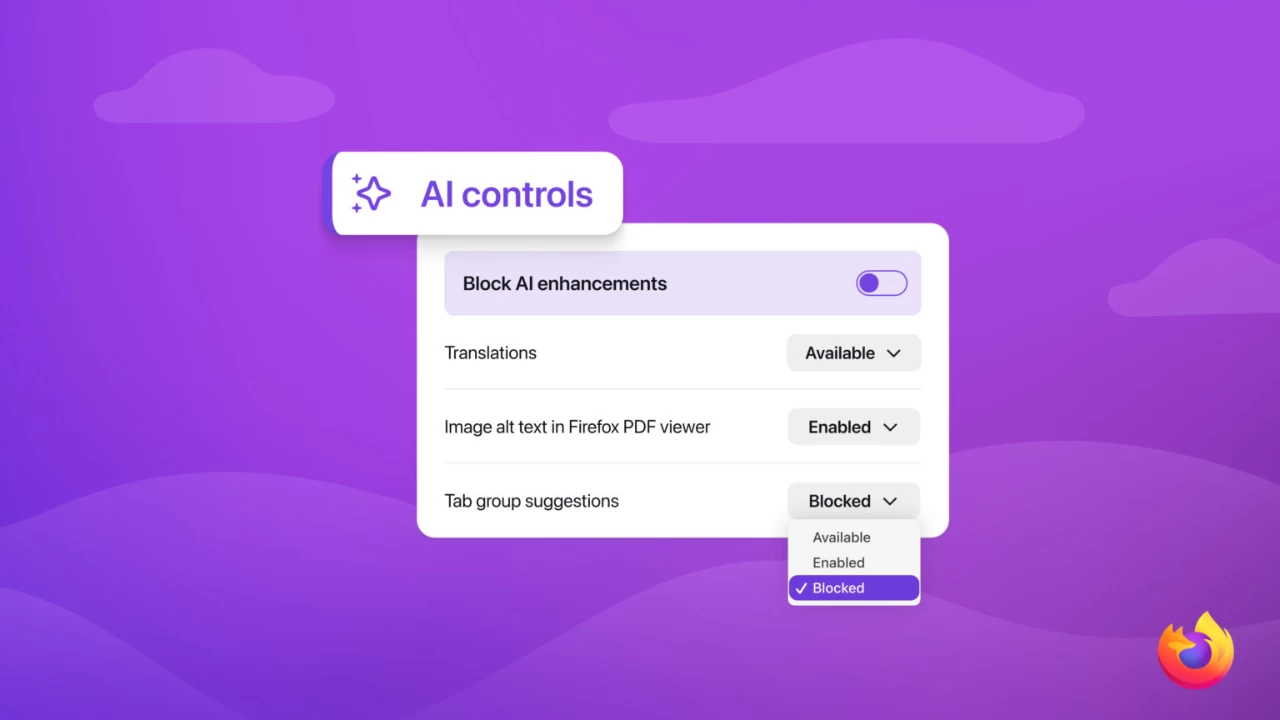


New Delhi: Mozilla is changing how artificial intelligence works inside its browser. Beginning with Firefox 148 on February 24, users will be able to block all current and future AI features from a single setting. The move follows growing feedback from people who want tighter control over how AI appears in their daily browsing.
The company says the update is about choice. Some users want powerful AI tools. Others want none at all. With the new controls, Firefox will let both groups decide for themselves. Once preferences are set, they stay in place across updates, and can be changed at any time.
The new “AI controls” section lives inside Firefox’s desktop settings. From there, users can switch individual features on or off or disable AI entirely with a single toggle. Turning on “Block AI enhancements” removes prompts and reminders about existing or upcoming AI tools.
At launch, the controls cover translations, AI-generated alt text in PDFs, smart tab grouping, link previews, and the sidebar chatbot. The chatbot can connect to services from Anthropic, OpenAI, Microsoft, Google, and Mistral AI, letting users pick their preferred assistant while they browse.
Mozilla says its goal is simple: give people control. Users can mix and match features, keep only what they find useful, or run Firefox with zero AI involvement. The company argues that flexibility matters more than forcing a single experience as AI becomes more common on the web.
The AI controls will arrive first in Firefox Nightly for early testers. Mozilla is inviting feedback through its community channels before the wider rollout later this month. For now, the message is clear: AI in Firefox is optional—and the final say belongs to the user.