
Sign In
By signing in or creating an account, you agree with Associated Broadcasting Company's Terms & Conditions and Privacy Policy.
By signing in or creating an account, you agree with Associated Broadcasting Company's Terms & Conditions and Privacy Policy.
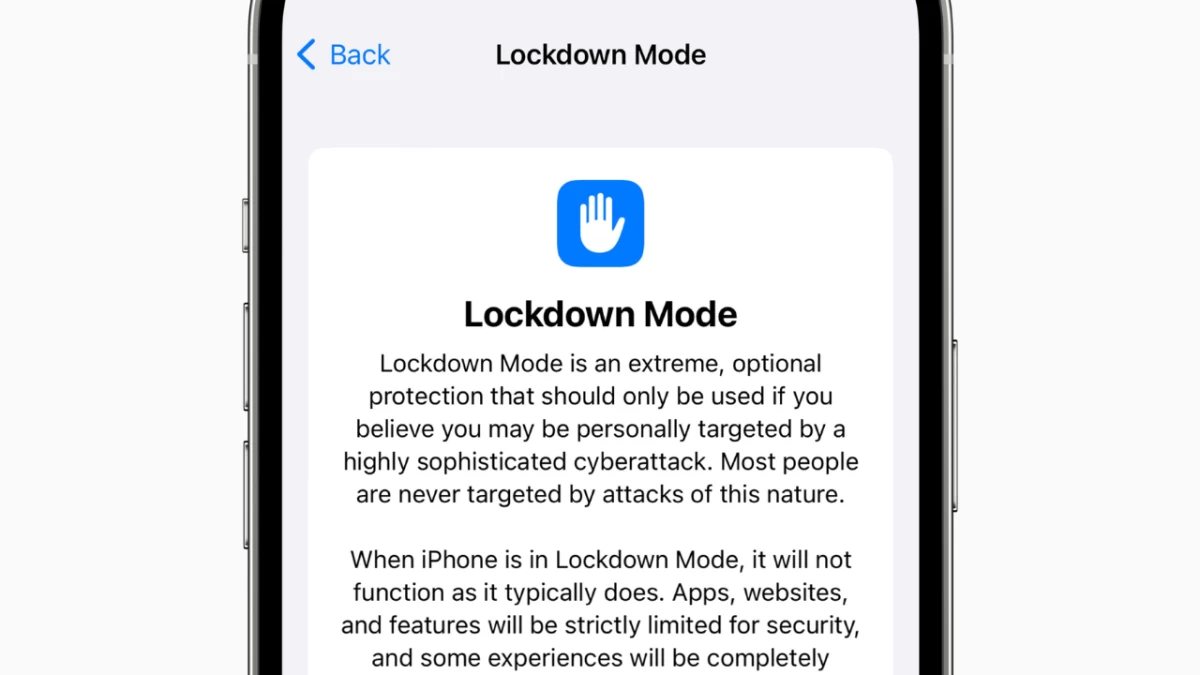


iPhone users can now access a strong security tool which defends their devices against modern digital threats. Through Lockdown Mode within iOS 16 and its subsequent updates, Apple provides users with an intense security feature which defends against specific state-sponsored spyware cyberattacks and other targeted digital threats. The security option in iPhones known as Lockdown Mode has become relevant because it prevents dangerous yet rare intrusions while daily cyber threats continue to develop.
Lockdown Mode delivers unparalleled protection to users who face specific threats, such as journalists, activists and government officials who might fall victim to Pegasus mercenary spyware, but remains unused by standard iPhone users. Users can activate the feature to minimise attack vectors, which disables various functions including message attachments, web browsing and unknown number phone calls. The security benefits of Lockdown Mode should be considered against its limited functionality because users who require it can feel safer. The following guide shows you how to activate the security feature while explaining its usage for iPhone protection.
You can activate Lockdown Mode through simple steps which need a device restart before the changes become effective. Make sure your iPhone operates on either iOS 16 or later because having the newest version, such as iOS 18, will provide the strongest protection. Here’s how to get started:
Your iPhone displays a lock icon next to the status bar, and Safari shows an on-screen notification after enabling the mode. The activation of Lockdown Mode occurs automatically on Apple Watches that are connected to iPhones running watchOS 10 or later, thereby protecting all devices.
Lockdown Mode delivers a complete system transformation that focuses on security at the cost of standard iPhone functions. Basic phone operations, including calling and texting, remain unaffected by the lockdown mode, while other functions become restricted. Here’s what to expect:
The security improvements decrease potential attack vulnerabilities, but they could possibly interfere with your typical workflow. The security choices made through Lockdown mode create challenges in accessing shared photo albums alongside preventing FaceTime calls from unknown contacts, which users should evaluate according to their security priorities.
You can modify Lockdown Mode when particular restrictions become too restrictive. From Settings > Privacy & Security > Lockdown Mode you can reach Configure Web Browsing to create exceptions for specific apps or websites from its operating rules. After turning on the mode, you will only see apps that you accessed following the activation since these apps make up the list. Make sure to test it out before continuing. The complete deactivation of Lockdown Mode requires you to navigate back to the same settings menu where you can choose Turn Off Lockdown Mode followed by restarting your device using your passcode.
Lockdown Mode serves exceptional security needs, according to Apple, since it targets only those with severe threats. Knowledge about how to use this feature enables every user to become stronger against rising sophisticated cyberattacks. The updated feature through 2025 provides essential security for every user who chooses to protect themselves, either because they face heightened risks or want additional security.