

Sign In
By signing in or creating an account, you agree with Associated Broadcasting Company's Terms & Conditions and Privacy Policy.
By signing in or creating an account, you agree with Associated Broadcasting Company's Terms & Conditions and Privacy Policy.
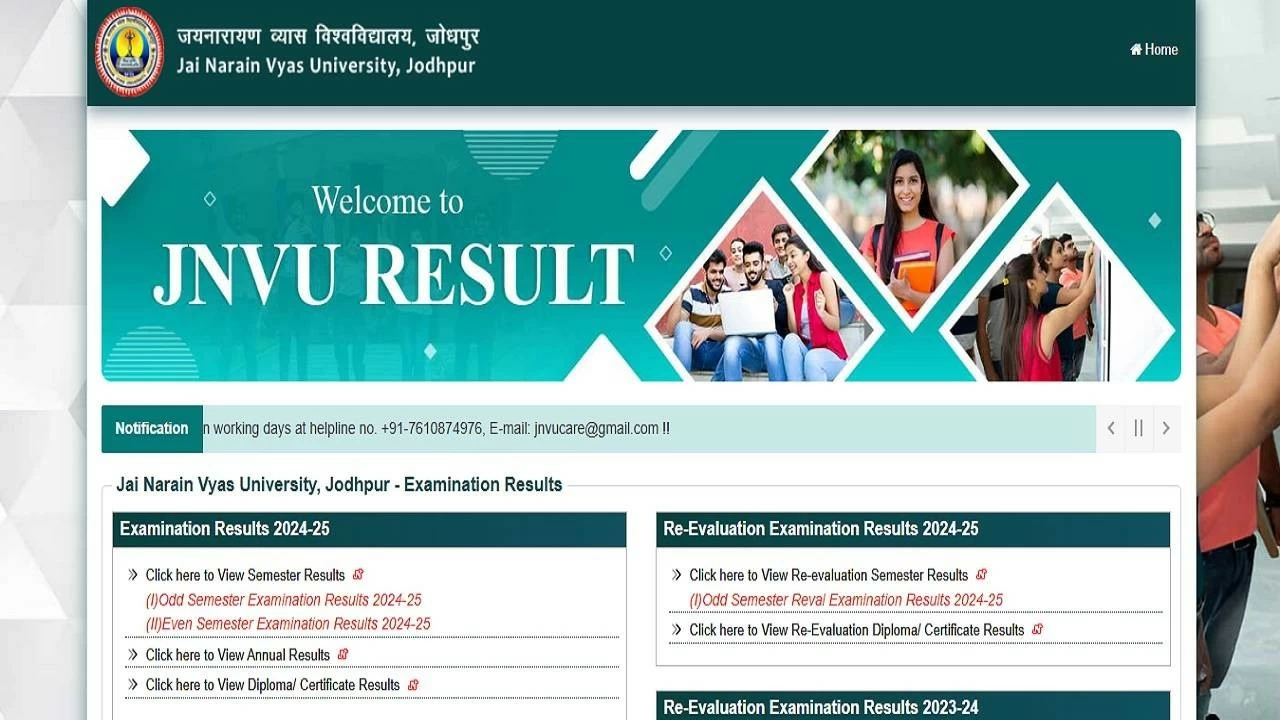


Jaipur: The Jai Narain Vyas University, Jodhpur, has declared the results for various undergraduate and postgraduate courses. It has activated the JNVU result 2025 link on the official website jnvuiums.in. Candidates who have appeared for the written exams can access JNVU semester result 2025 with valid login credentials. One must enter the roll number to access the Jai Narain Vyas University results 2025.
The University has also released JNVU marksheet 2025 along with results. One can download JNVU scorecard or marksheet till they receive the original passing certificate. Students must note that the JNVU results are available for all semesters (Odd and Even) separately.
| University | Jai Narain Vyas University, Jodhpur |
|---|---|
| Exams | Semester (Odd and Even) |
| Exam mode | Offline |
| Result mode | Online |
| Login credentials required | Roll number |
| Official website | jnvuiums.in |
Step 1: Open the official website of JNVU at jnvuiums.in
Step 2: Go to the results section on the homepage
Step 3: Find the JNVU Odd/ Even semester results link
Step 4: Clicking on the link will open the JNVU semester results 2025 page
Step 5: Select the respective course/ programme
Step 6: Fill in the login details such as roll number
Step 7: Submit the mandatory fields
Step 8: The JNVU semester result 2025 will be available on the screen
Step 9: Download and keep the hard copy of results for future need
Candidates are advised to check all the details available on the JNVU marksheet or JNVU scorecard. In case of any discrepancy, one should reach the JNVU's exam cell without any delay.